LLM Agents
This module covers the applications layer: using language models inside systems that call tools and take actions. Earlier pages explain the operations with NumPy, and the small GPT lab trains them with PyTorch. The agent code here illustrates control flow and needs a model API and tool implementations to run.
You’ll see what turns a plain LLM into an agent: a loop that can perceive, reason, use tools, remember context, and take action. You’ll also learn the ReAct pattern, common failure modes, and the guardrails that keep agent behavior under control.
From LLM to Agent
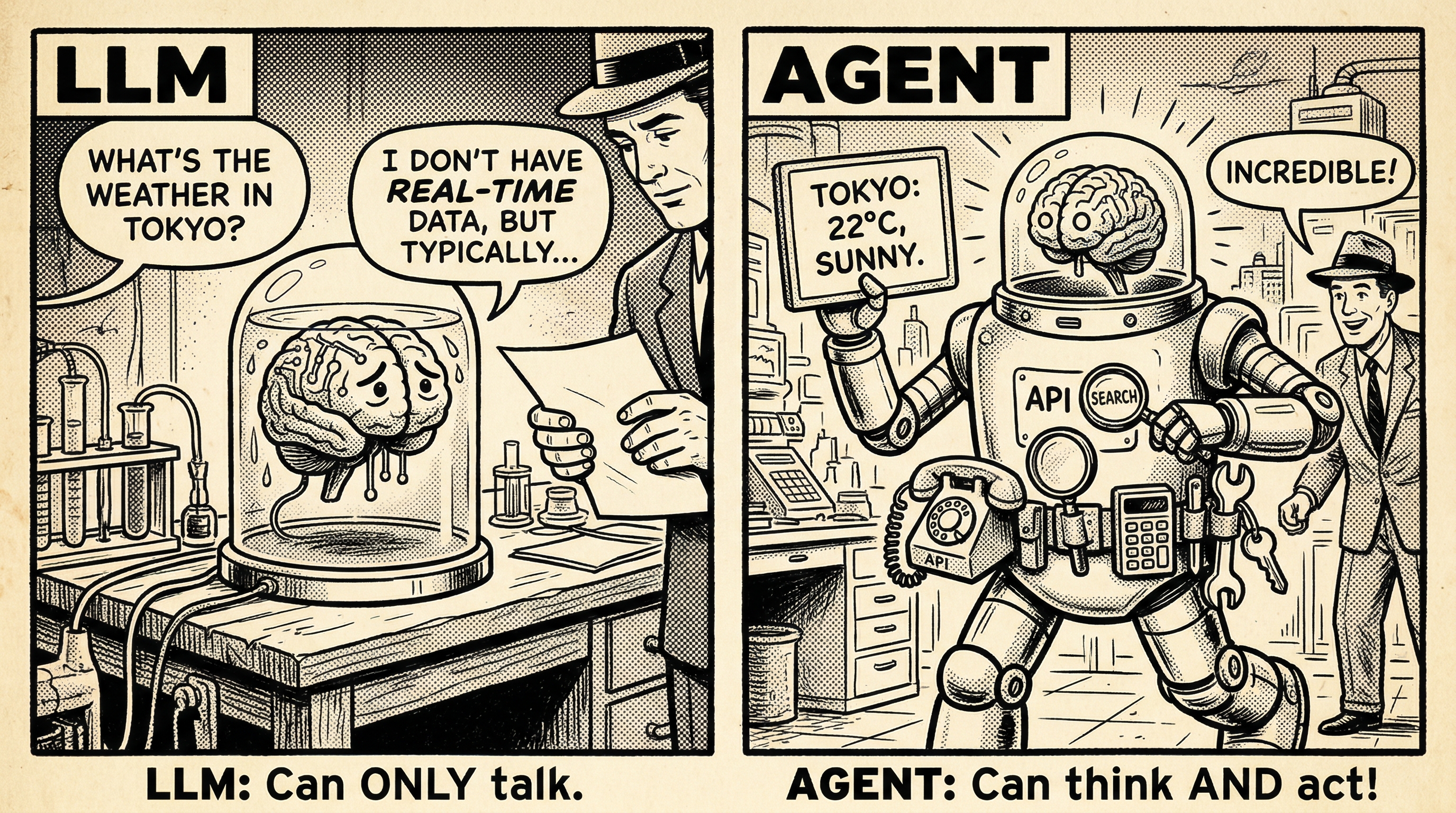
An LLM by itself can only generate text. An agent can:
| LLM | Agent |
|---|---|
| Text in, text out | Perceive → Think → Act |
| Single turn | Multi-turn with memory |
| Generates answers | Uses tools to find answers |
| No planning | Breaks tasks into steps |
The key difference: agents interact with the real world through tools.
A Real Example
User: “What’s the weather in Tokyo right now?”
| Response | |
|---|---|
| LLM alone | ”I don’t have access to real-time weather data, but Tokyo typically has…” |
| Agent | Calls weather API → “It’s currently 22°C and sunny in Tokyo.” |
The ReAct Pattern: Think, Then Act
The most influential agent pattern is ReAct (Reasoning + Acting). The LLM alternates between thinking about what to do and acting to gather information:
ReAct Agent: Thought → Action → Observation
What to look for: Try both examples and click “Next Step” to step through each cycle. Watch how the Thought phase identifies what’s missing, the Action phase calls a specific tool to fill that gap, and the Observation phase feeds the result back in. Notice that the agent may need multiple cycles before it has enough information to answer.
| Phase | What Happens | Example |
|---|---|---|
| Thought | LLM reasons about what it knows/needs | ”I need to find the current population…” |
| Action | LLM calls a tool | web_search("population of Paris 2024") |
| Observation | Tool returns a result | ”Paris population: 2.1 million (2024)“ |
Tool Use: Giving LLMs Superpowers
Common Tools
| Tool | What It Does | Example |
|---|---|---|
| Web Search | Find current information | ”Who won the 2024 election?” |
| Calculator | Precise math | ”What’s 47.3% of $12,847?” |
| Code Execution | Run Python/JS | ”Parse this CSV and find the average” |
| API Calls | Access services | ”Check flight prices LAX→JFK” |
| File I/O | Read/write files | ”Save this summary to report.md” |
Function Calling
Modern LLMs support structured function calling — the model outputs a JSON object specifying which tool to use and with what arguments. The system executes the function and feeds the result back to the LLM.
| Field | Purpose | Example |
|---|---|---|
| tool | Which tool to call | "web_search" |
| arguments | Parameters for the tool | {"query": "population of Paris 2024"} |
| thought | Why this tool is needed | "I need current population data" |
Structured Outputs
Modern LLM APIs support structured outputs — the model generates valid JSON matching a predefined schema, making tool calls reliable:
{
  "tool": "web_search",
  "arguments": { "query": "population of Paris 2024" },
  "thought": "I need current population data"
}
This eliminates brittle text parsing. The model is constrained to output valid JSON, so tool calls always have the right format.
Model Context Protocol (MCP)
MCP is an emerging open standard for connecting LLMs to external tools and data sources. Instead of each agent framework building custom integrations, MCP provides a universal protocol:
| Without MCP | With MCP |
|---|---|
| Each app builds custom tool integrations | Tools expose a standard MCP interface |
| N apps × M tools = N×M integrations | N apps + M tools = N+M integrations |
| Different APIs for each service | One protocol for all services |
Think of MCP as “USB-C for AI” — a standard connector that lets any LLM application work with any tool server.
Memory Systems
Humans don’t forget conversations. Neither should agents.
| Memory Type | Duration | Implementation |
|---|---|---|
| Working memory | Current conversation | Chat history in context window |
| Short-term | Recent sessions | Summarized key facts |
| Long-term | Persistent | Vector database of past interactions |
The Context Window Problem
LLMs have limited context windows (4K-128K tokens). An agent that runs for many steps can exceed this limit.
Solutions:
- Summarization: Compress old conversation turns
- Retrieval: Use embeddings to find relevant past context
- Structured storage: Save facts to a database, retrieve as needed
Planning: Breaking Down Complex Tasks
Sophisticated agents plan before acting. For a request like “Write a blog post about transformer architectures,” an agent might:
| Step | Action | Tools Used |
|---|---|---|
| 1 | Research current architectures | Web search |
| 2 | Create outline with key sections | LLM reasoning |
| 3 | Write each section | LLM generation |
| 4 | Add code examples | Code execution |
| 5 | Review and edit for clarity | LLM self-review |
| 6 | Format as markdown | File I/O |
Each step might involve multiple ReAct cycles. The agent tracks progress and adjusts the plan if a step fails.
Agent Architectures
| Architecture | Pattern | Best For |
|---|---|---|
| Single Agent | User → Agent → Tools → Response | Simple tasks, focused interactions |
| Multi-Agent | Coordinator dispatches to specialized agents (Researcher, Coder, Reviewer) | Complex tasks requiring different expertise |
| Hierarchical | Manager decomposes into subtasks → Worker agents | Large projects that can be decomposed |
Common Challenges
| Challenge | Problem | Solution |
|---|---|---|
| Hallucinated actions | LLM invents tools that don’t exist | Validate against available tool list |
| Infinite loops | Agent searches forever without progress | Step limits + loop detection |
| Error recovery | Tools can fail or return errors | Feed error back to LLM to adjust strategy |
Quick Summary
| Concept | Key Point |
|---|---|
| Agent = LLM + Tools | LLMs generate text; agents take actions |
| ReAct | Alternate Thought → Action → Observation |
| Tool Use | Search, compute, code, APIs |
| Memory | Working (context), short-term (summaries), long-term (databases) |
| Planning | Break complex tasks into manageable steps |
| Challenges | Hallucination, loops, error handling |
- I can explain the difference between a plain LLM and an agent (text generation vs. perceive-think-act)
- I can walk through the ReAct loop — Thought, Action, Observation — and explain why each phase matters
- I understand how function calling and structured outputs make tool use reliable
- I can describe the three memory types (working, short-term, long-term) and when each is used
- I can identify common agent failure modes (hallucinated actions, infinite loops, tool errors) and their mitigations
- I can outline a multi-step plan for a complex agent task, breaking it into ReAct cycles
Congratulations!
You’ve completed the entire Transformer 101 course — from RNNs to agents. You now understand:
- How RNNs process sequences with memory
- Why vanishing gradients motivated new architectures
- How attention lets tokens communicate
- The complete Transformer architecture
- How BERT and GPT specialize the transformer for different tasks
- How agents extend LLMs with tools and reasoning
To finish the course with a model you trained, complete Train Your Own GPT and keep its checkpoint, loss curves, and training report. For another experiment, try Fine-tune an Open Model and compare its results on held-out task examples.